
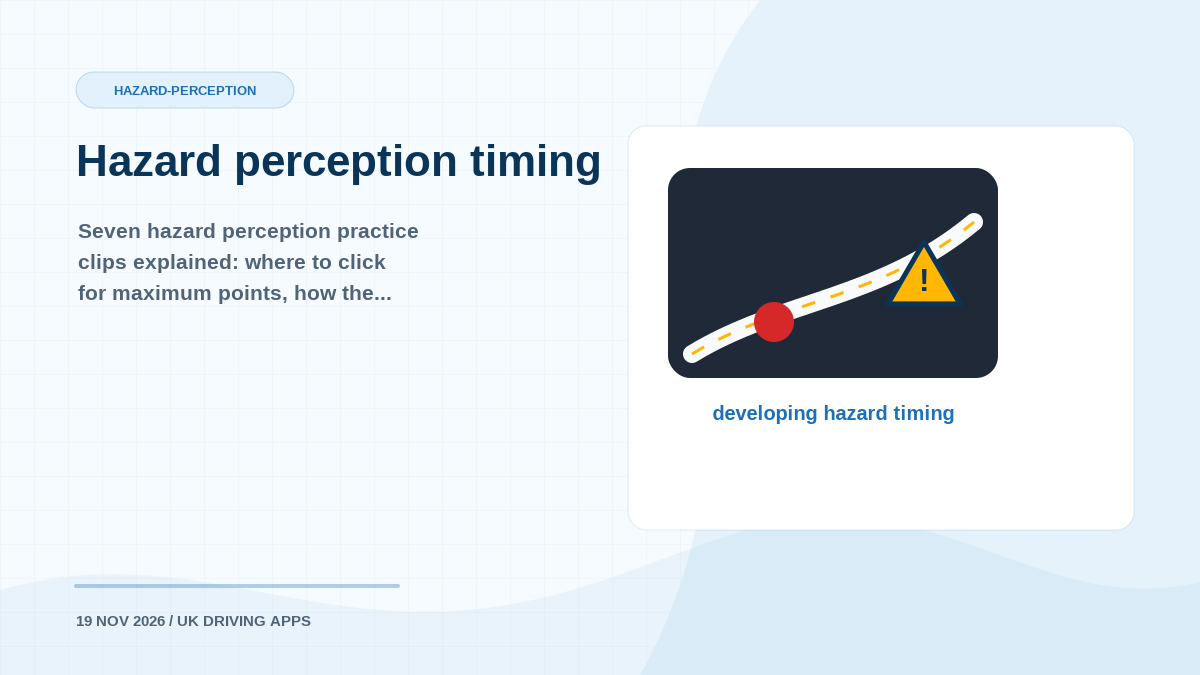
Most learners who fail the hazard perception test saw every hazard. They just clicked at the wrong moment: too late, when the danger was already in front of the bonnet, or too early, before anything had started to develop.
The fix is to understand how a hazard moves through three stages, and where the scoring window sits within them. This guide works through seven typical practice clips, six with one hazard and one with two, and shows where the maximum-points click falls in each.
The three stages of every hazard
Every clip in the DVSA test follows the same pattern. Once you can name the stages, the test makes far more sense.
| Stage | What it means | What you do |
|---|---|---|
| Potential hazard | Something that might cause a problem, such as a zebra crossing ahead or a side junction | Stay alert, but no click is needed yet |
| Developing hazard | The situation is changing and you would need to slow, stop or swerve | Click now for maximum points |
| Actual hazard | The danger is right in front of you | Too late, the scoring window has closed |
The scoring window opens when the hazard starts to develop and closes when it becomes an actual hazard. Click early in the window and you score 5. The score then falls to 4, 3, 2 and 1, and anything after the window closes scores 0.
Remember: A hazard is anything that makes you stop, slow or swerve. You do not have to come to a halt for it to count. If you would have to brake gently and steer around something, it is a scoreable hazard.
Seven clips, and where the points are
1. The lady and the zebra crossing. The crossing itself is the potential hazard, so you should be alert as soon as you see it. A white van moves up the road and reveals a pedestrian walking towards the crossing. That is the developing hazard and the moment to click. By the time she reaches the kerb at the crossing, the window has closed.
2. The ambulance at the roundabout. This clip has a very small scoring window, because the hazard goes from developing to actual almost at once. Click the instant the ambulance pulls onto the roundabout. It is a good example of what happens when a driver only reacts to hazards that are already in front of them.
3. Traffic emerging at a green-light crossing. Your lights are green, but a crossing is always a potential hazard because the lights could change. When traffic emerges from the junction on the left into your path, the hazard is developing. Click, and in real life begin to slow down. Pedestrians and a moped are still in your path a moment later. A driver who had not eased off early would have to brake harshly or would crash.
4. The pedestrian between parked cars. On a busy high street it is tempting to fixate on the car in front. That car is following a queue of traffic and is unlikely to do anything unexpected. The likely hazards are the small road users: cyclists and pedestrians. A lady appears between two parked cars, clearly about to cross. Click then, not once she is already in the road.
5. The partly hidden pedestrian. There is another zebra crossing, and this time the pedestrian on the left is partly hidden by a pole on the pavement. At first you cannot tell whether they are walking towards the crossing or away from it. That uncertainty is the developing hazard. You would ease off the accelerator in case you need to stop. The window here is quite long, but it closes as they are about to step onto the crossing.
6. The vehicle that signals and brakes together. This is the shortest scoring window of the set. The vehicle in front gives almost no gap between signalling and braking. If your concentration has faded by this point in the test, you will miss it.
7. The clip with two hazards. The first hazard is a car, and it is hard to judge exactly when it stops being a potential hazard and starts developing. This is the situation the three-click method is for. The second hazard is a blue van pulling out. Click the moment it moves. If you wait until it is clearly turning right, you will score low or zero.
Tip: When a clip starts, scan the whole scene before anything happens. Ask yourself what could go wrong here: a crossing, a side road, parked cars, a bus stop. If you have already predicted a hazard, you will click faster when it appears.
When to use the three-click method
In some clips the change from potential to developing is obvious, such as a van pulling out or a pedestrian appearing. In others it is gradual, and you know which vehicle will be the hazard before it has really started to develop.
Clicking once in that situation is risky. If your single click comes just before the window opens, you score nothing. The three-click method deals with this:
- Click once when you first think the hazard is developing.
- Click again about a second later.
- Click a third time as the situation becomes clearer.
One of the three should land early in the scoring window, and the test takes your highest-scoring click.
Did you know? The test software looks for continuous or patterned clicking. If it decides you are clicking rhythmically or constantly through a clip, that clip scores zero. Three deliberate clicks on a real hazard are fine. Tapping throughout the clip is not.
For more on click timing, see our guide to the clicking strategy that actually scores points.
Don’t switch off after the first hazard
One clip in your test contains two scoreable hazards, and you are not told which. In clip 7 above, the second hazard needed a quick reaction. Candidates who relaxed after spotting the first one missed it.
Watch every clip to the end as though another hazard is coming. Fatigue also costs marks. The clips come after the multiple-choice section, so you have been concentrating for some time before they start. Use the short break between the two sections to reset.
Hazard perception pass marks by test type
| Test | Clips | Scoreable hazards | Pass mark |
|---|---|---|---|
| Car (Category B) | 14 | 15 | 44 out of 75 |
| Motorcycle | 14 | 15 | 44 out of 75 |
| LGV / HGV | 19 | 20 | 67 out of 100 |
| PCV (bus and coach) | 19 | 20 | 67 out of 100 |
Car and motorcycle candidates must pass hazard perception and multiple choice in the same sitting. If you are working towards a lorry or bus licence, our LGV vs PCV theory test comparison explains how the parts fit together.
Take the skill onto the road
The test checks the same habit that keeps you out of collisions on the road. A driver who lifts off the accelerator when a pedestrian walks towards a crossing never has to brake hard. A driver who waits until the pedestrian steps out does.
Spotting hazards early scores top marks on the test and keeps you safe afterwards. For a fuller revision plan, read how to pass the hazard perception test first time.
Practise with the right app
Watching clips being explained helps, but you only build timing by clicking on clips yourself. Each of our theory test apps includes 46 hazard perception clips alongside the DVSA question bank:
| Test type | Our app | What’s inside |
|---|---|---|
| Car (Category B) | Car Driving Theory Test | 758 DVSA questions across 15 topics, 46 hazard perception clips, the complete Highway Code |
| Motorcycle | Motorcycle Theory Test | 707 DVSA questions across 15 topics, 46 hazard perception clips, the complete Highway Code |
| LGV / HGV | LGV & HGV Theory Test & Toolkit | 1,068 DVSA questions across 15 topics, 46 hazard perception clips, 35 Driver CPC Module 2 case studies |
| PCV (bus and coach) | PCV Theory Test & Toolkit | 804 DVSA questions across 15 topics, 46 hazard perception clips, 28 Driver CPC Module 2 case studies |
Together the drivingapps.co.uk suite covers 5200+ questions across 8 apps, so there is a match for whichever licence you are working towards. You can also try free quizzes on the site with no sign-up and no download. Good luck!
Frequently asked questions
What is the pass mark for the hazard perception test?
How many clips are in the hazard perception test?
When should I click in the hazard perception test?
What is the three-click method in hazard perception?
Can you click too many times on the hazard perception test?
Related apps




Try a free practice quiz
Reading is great. Practising is better. No sign-up required.